How AI avatars make support videos feel more human
If your support videos feel like they were made by a software tool rather than a person, there's a reason customers aren't watching them — or finishing them.
Video is already the most effective format for customer support. But format alone isn't enough. How the content is delivered determines whether a user sticks around, follows through, and actually solves their problem. A disembodied voiceover on a screen recording works — but a video with a visible presenter, a face that reacts, and a tone that feels conversational? That performs differently.
This is the gap AI avatars fill. According to a 2024 study by Lind, AI avatars in training and support videos achieve learning outcomes nearly on par with human trainers — 51% versus 54% learning success — with motivation, perceived quality, and brand impact being nearly identical. More strikingly, more than half of the participants in that study couldn't tell they were watching an AI avatar at all. The realism threshold has already been crossed.
For teams building support video libraries with WowTo, AI avatars aren't a cosmetic upgrade — they're a functional one. Here's why, and how to use them effectively.
Why the "human presence" problem matters in support videos
Support videos without a visible presenter rely entirely on voiceover and screen content to hold attention. That works for users who are already motivated. It doesn't work as well for users who are confused, frustrated, or just checking whether this video is worth their time.
Human faces are attention anchors. People are neurologically wired to track faces, process expressions, and stay engaged when another person appears to be talking to them. Even a non-interactive AI avatar taps into this instinct. When a viewer sees a presenter delivering instructions, they process the content differently — as communication, not documentation.
The implication: the reason to add AI avatars to your support videos isn't novelty. It's engagement, completion, and the practical outcome of customers actually solving their problems.
What AI avatars actually do in a support video
An AI avatar is a digitally generated, human-like figure that speaks, reacts, and guides viewers through content using artificial intelligence. In a support video, the avatar acts as a visible presenter — delivering the narration, maintaining eye contact with the viewer, and giving the video the feel of a one-on-one walkthrough rather than a recorded tutorial.
With WowTo's AI avatar feature, you can add a talking avatar directly to your support videos without any recording equipment, actors, or production resources. You write or generate a script, select an avatar, and WowTo handles the rest — syncing the avatar's speech and expression to your content. The avatar appears alongside or over your screen recording, acting as a guide throughout the walkthrough.
This matters for a few concrete reasons:
- Instruction feels less mechanical. When a visible presenter says, "click here to open the settings panel," it lands differently than a disembodied voice saying the same thing. The avatar creates a sense of dialogue, which is the format users are most accustomed to when getting help from another person.
- Attention stays on the video longer. AI avatar videos have 18% lower bounce rates in the first 10 seconds compared to voiceover-only content, according to engagement data from Tubular Labs. For support videos — where the first 10 seconds often determine whether a user keeps watching or submits a ticket instead — that difference matters.
- Completion rates improve. LinkedIn Learning's 2024 Workplace Learning Report found that AI avatar training videos achieve a 78% average completion rate. Users who finish a support video are the users who actually solve their problems.
The difference between "feels automated" and "feels personal"
The gap between a support video that feels automated and one that feels personal isn't always about whether a real human appears on screen. It's about delivery. A poorly paced voiceover with a generic robotic tone creates distance. A well-chosen avatar with clear delivery, appropriate pacing, and a consistent tone creates presence.
WowTo gives you control over both the avatar and the voice it uses. With 300+ AI voices across 20+ languages, you can match the avatar's tone and persona to your brand — professional, approachable, or somewhere in between. Combined with WowTo's multilingual support video capabilities, the same avatar can deliver your support walkthrough in English, German, Japanese, or Spanish — with dialect-level accuracy that makes the content feel genuinely local, not just translated.
That's the "feels personal" test: not just whether a face appears on screen, but whether the video speaks to the viewer in a way that feels considered and clear.
Where AI avatars have the most impact in support video libraries
Not every video in your help center needs an avatar. Some content — short one-step walkthroughs, UI callout videos, animated explainers — works fine without one. But for the following content types, adding an AI avatar consistently improves outcomes:
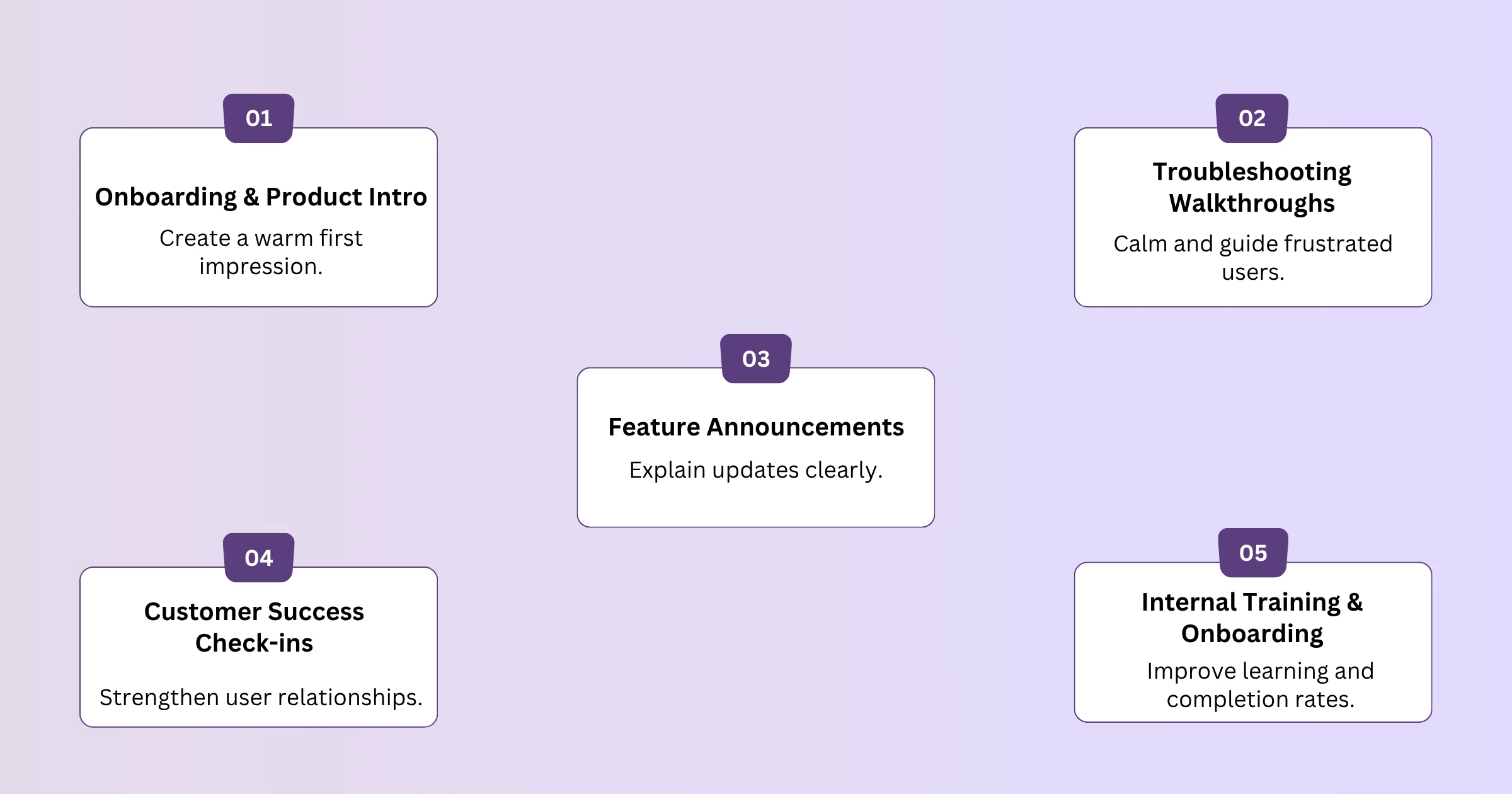
- Onboarding and product introduction videos. First impressions matter. A visible presenter guiding a new user through your product's core workflow sets a welcoming, human tone for the entire support experience. If you're building or scaling your onboarding video library, the use of videos in SaaS customer onboarding guide covers how video fits into the full onboarding arc.
- Troubleshooting walkthroughs. When a user is stuck and frustrated, the last thing they want is a wall of text or a cold screen recording. An avatar that appears to speak directly to them — explaining what went wrong and how to fix it — creates a de-escalating, reassuring experience that a voiceover alone doesn't replicate.
- Feature announcement and update videos. Product changes often cause confusion and support spikes. A short avatar-led video explaining what changed and why lands more warmly than a release notes page, and it reduces the ticket volume that typically follows a significant UI or workflow update. For teams scaling this kind of content, how to reduce customer support tickets with video tutorials is worth reviewing.
- Customer success check-in content. Midway through a customer lifecycle, proactive video content — delivered by an avatar — reinforces that your team is present. These aren't troubleshooting videos; they're relationship videos. Avatar delivery gives them a warmth that passive voiceover doesn't.
- Internal training and team onboarding. The human-presence effect isn't limited to customer-facing content. For distributed teams or multilingual workforces, avatar-led internal training videos improve comprehension and completion rates significantly. How to reduce employee onboarding time with automated video training goes deeper into the internal use case.
How to create AI avatar support videos with WowTo
The production process with WowTo is designed so that any customer success manager, support lead, or L&D specialist can produce an avatar-led video without design help or a production team.
Here's how it works in practice:
1. Capture or import your screen content. Use the WowTo Chrome extension to record a workflow directly in your browser, or import an existing screen recording. WowTo converts the recording into a structured, editable video with individual steps — no manual editing required.
2. Add or generate a script. WowTo can auto-generate a script from your screen recording, or you can write one from scratch. Keep the script focused on one workflow per video — tightly scoped content is easier to follow and easier to update when your product changes.
3. Select your AI avatar. Choose an avatar that matches your brand's persona. WowTo's library gives you multiple avatar options with varying styles and appearances, so you can maintain consistency across your support library.
4. Choose a voice and language. Match the voice to your target audience. If you're producing content for multiple markets, select the appropriate language and dialect at this step — WowTo generates a fully localized version without requiring any re-recording.
5. Preview and publish. Review the avatar's delivery, timing, and subtitle accuracy before publishing. Once live, videos can be embedded directly in your product via WowTo's in-app video widget, surfacing the right content at exactly the moment a user needs it.
For teams looking to scale efficiently, WowTo's video knowledge base can host your entire avatar-led library, organized by category and searchable by users — reducing support ticket volume at scale. For more on scripting effective support videos, how to create a product demo video for support teams, and walk through the end-to-end process.
What makes an AI avatar support video actually work
Having an avatar is not enough by itself. The avatar is a delivery mechanism — the content, scripting, and structure determine whether the video solves the user's problem.
A few principles that separate high-performing avatar support videos from ineffective ones:
- Script for conversation, not documentation. Write the avatar's lines the way you'd explain something to a colleague — short sentences, active voice, no jargon. If your script reads like a help article, rewrite it before recording.
- One video, one problem. Scope each video tightly. An avatar-led video covering five related features is harder to navigate and easier to abandon than five focused videos, each covering one feature. Shorter, scoped content also updates more cleanly when your product changes.
- Use the avatar at the beginning and at key transitions. You don't need the avatar visible for the full video. A strong avatar intro — welcoming the viewer and setting up what they'll learn — combined with avatar appearances at key steps or transitions, is often more effective than continuous avatar presence throughout.
- Always ship with subtitles. WowTo automatically generates subtitles for every video. Enable them by default. Subtitles improve comprehension for non-native speakers, for users watching without audio, and for users in noisy environments — which covers a larger portion of your audience than you might expect.
Conclusion
Support videos that feel human don't require a human in front of a camera. They require delivery that respects the viewer's time, communicates clearly, and creates the sense of being guided rather than instructed.
AI avatars close that gap — reliably, scalably, and without the production overhead that used to make it impractical. With WowTo, you can add a lifelike avatar to any support video, localize it across 20+ languages, and publish it in the time it used to take to write a help article.
If your support library is built for information transfer but not engagement, the avatar is where you start.
Ready to make your support videos feel more human? Sign up on WowTo today.
