How to Localize Explainer Videos for Global Customers
When a SaaS product goes global, the explainer video library rarely follows. Teams spend months crafting product walkthroughs, onboarding sequences, and feature demos in one language — and then ship those same videos to customers in a dozen different markets. According to CSA Research, 76% of consumers are more likely to purchase a product when information is presented in their native language, yet most software teams treat video localization as an afterthought.
That gap is quietly expensive. Customers who cannot follow your onboarding videos take longer to activate, raise more support tickets, and churn at higher rates than those who receive guidance in their own language. Platforms like WowTo are built specifically for teams facing this challenge — helping SaaS and support teams create, localize, and maintain explainer video libraries without rebuilding content from scratch every time a new market opens or a product update ships. Explainer video localization is no longer a nice-to-have for companies selling internationally — it is a core part of the customer education strategy.
This guide walks through how to localize explainer videos for global customers: what the process looks like, where teams typically go wrong, and how to build a localization workflow that scales without requiring you to recreate every video from scratch.
Video translation vs video localization: understanding the difference
These two terms are often used interchangeably, but they describe meaningfully different scopes of work.
Aspect | Video Translation | Video Localization |
Focus | Language conversion | Language + cultural adaptation |
Includes | Script, voiceover, subtitles | Language, visuals, terminology, formats |
Content | Same message and examples | Adapted for the local audience |
Best For | Similar markets | New regions or cultures |
Example | English → Spanish | Currency, idioms, and workflows adapted |
Video translation is the narrower task: converting the spoken or written content of a video from one language into another. It covers the script, the voiceover, and the subtitles — but nothing else. A translated explainer video delivers the same message in a new language, with the same tone, the same examples, and the same cultural framing as the original.
Video localization goes further. It adapts the content for a specific market — not just the language, but the context. That might mean replacing regional idioms that do not translate cleanly, adjusting on-screen currency formats, reordering a workflow demonstration to match local regulations, or modifying the pace of delivery to suit how a particular audience expects to receive information. For complex or regulated industries, localization may also involve checking that product terminology aligns with the way local professionals actually refer to the same concepts.
For most SaaS teams, the practical question is how much adaptation a given market requires. A video for French-speaking Canada may need lighter localization than one for a market where the product category is still unfamiliar. Understanding where your content sits on the translation-to-localization spectrum helps you scope the project before you begin. The WowTo glossary covers definitions of key terms like video dubbing, subtitles, and multilingual video content for quick reference.
Why explainer video localization fails at scale
The most common reason localization projects stall is that the production model was never designed for it. Teams record a video in English, treat it as finished, and only think about localization when a regional sales team asks for a version in German or Spanish. At that point, the video has to be sent to a translation vendor, dubbed or re-recorded, and manually synced — a process that takes weeks and breaks down completely when the original video needs to be updated.
There are three structural problems with this approach.
First, product changes make the localization debt compound. SaaS teams ship updates constantly. Every UI change, feature rename, or workflow adjustment that touches your explainer videos creates a new round of localization work — for every language you have already produced. Teams that localized into four languages are now managing four separate update cycles.
Second, the cost scales with the number of markets. Every new language is a new production cost. Translation, voiceover talent, audio syncing, subtitle review, and quality assurance all run in parallel per language. For teams that serve ten or more markets, the localization budget can dwarf the cost of creating the original content.
Third, timeline mismatches with release cycles. Traditional video localization takes days to weeks per language. Most SaaS companies ship product updates on two-week or monthly cycles. The result is that localized training and explainer videos are perpetually out of date — which means customers in non-English markets are following instructions for an interface they cannot recognize.
The explainer video localization process
A localization workflow that scales starts before the camera rolls. Here is how to build one that holds up as your product and your market list grow.
Script first, record second
Unscripted explainer videos are difficult to localize. When narration is improvised, translated versions rarely match the pacing and timing of the original visual track, which means manual re-editing per language. Writing your script before you record gives the localization workflow a clean, editable source of truth for every language variant.
Keep the script simple and direct. Avoid idioms, culturally specific humor, and compound sentences with ambiguous structure. Every sentence that is easy to translate is a sentence that will cost less and perform better in target languages.
Separate the audio layer from the visual layer
Explainer videos that embed text into the visual layer — burned-in captions, static text overlays, UI callouts — have to be re-edited for every language. Where possible, use dynamic subtitle tracks and on-screen annotations that can be swapped without touching the underlying recording. This keeps the visual layer language-neutral and dramatically reduces the per-language editing work.
Translate and review before generating audio
Machine translation is fast, but it misses product-specific terminology and regional phrasing with some regularity. Before generating localized voiceovers, run translated scripts through a quick review with a native speaker or regional team member. Catching errors at the script stage is significantly cheaper than correcting a published video — especially when re-generating audio requires re-syncing the entire track.
Generate localized voiceovers with AI voice
AI voice technology has changed the economics of explainer video localization. What previously required booking a voiceover studio for each language can now be handled within a single platform in a fraction of the time. A library of AI voices across dozens of languages — including dialect-specific variants for markets like Spanish-speaking Latin America vs. Spain, or French Canada vs. France — means localized content sounds native rather than translated.
The operational advantage goes beyond the initial production: when a product update requires a script change, you edit the text and regenerate the audio. Every language version updates in parallel. No vendor coordination, no studio booking, no lead time.
Add subtitles and captions
Subtitles are not optional. They improve comprehension for non-native speakers even in their primary language, meet accessibility standards, and make your explainer videos watchable in environments where audio playback is not possible. Every localized version should ship with subtitles enabled by default.
Auto-generated captions can accelerate this step, but review them before publishing. Automated transcription handles straightforward narration well; product-specific terminology and proper nouns often require manual correction.
Best practices for explainer video localization
Prioritize by market, not by language count
Trying to localize an entire explainer video library into five languages simultaneously is how projects stall. Identify your highest-priority markets by looking at where support ticket volume is highest, where activation rates are lowest, and where sales have the clearest regional demand. Start with the videos that are already performing well in English and have the most direct impact on customer success in target markets.
Build a localization-ready master library
Every localized explainer video traces back to a master script. Store master scripts in a version-controlled location and treat them as the source of truth for all language variants. When the product changes, you update the master and regenerate — not track changes across a dozen separate files. This is what makes scale manageable.
Match dialect to market
Language choice and dialect choice are different decisions. Portuguese for Brazil and Portuguese for Portugal carry different vocabulary and register. Spanish for Mexico and Spanish for Spain differ in ways that native speakers notice immediately. Define dialect variants for each specific market before you begin generating localized content — inconsistency at the dialect level erodes customer trust faster than a mismatch in color scheme.
Host localized content where users can find it
Creating localized explainer videos is only half the work. Users need to reach the right language version without friction. A video knowledge base that supports multilingual content organization lets users access help directly in their language, and hosting on your own domain means multilingual explainer content contributes to your SEO in non-English search markets. For a look at how to build and maintain that kind of library, this guide on scaling your video knowledge base covers the practical workflow.
Embed localized content in-product
The most effective explainer video is the one that appears at the right moment inside the product itself. Surfacing the correct language version based on user locale — without requiring users to navigate to a separate help center — is the final step in a mature localization workflow. It also significantly reduces the support load that localized videos are designed to address in the first place.
Localize product demo videos for global customers: special considerations
Product demo videos carry additional localization complexity because they show a specific interface state. A demo recorded against a product that has since shipped a redesign will confuse customers in any language — but localized customers who followed instructions and then found a different UI will often blame the localization rather than the product timeline.
For product demo localization specifically, keep demos short and task-focused. A two-minute demo covering one workflow is easier to localize, easier to update, and more useful to the customer than a ten-minute tour. Shorter videos also minimize the damage when a product change requires a re-record.
Tie demo updates to your release process. When a feature ships, the corresponding demo video update should be in the release checklist — not an afterthought handled three weeks later. Localized demos that fall out of sync with the actual product create confusion that no amount of voiceover quality can compensate for.
Test localized demos with regional users where possible. What reads clearly in English sometimes lands differently once localized — not because the translation is wrong, but because the product concept or workflow is newer in that market. A brief review with a regional team member or customer before publishing can catch these gaps.
How a tool like WowTo fits into the localization workflow
For SaaS and support teams building multilingual explainer video libraries, having a platform that handles the full workflow in one place — screen capture, AI voiceover generation, subtitle creation, and multilingual hosting — removes the coordination overhead that slows down traditional localization pipelines.
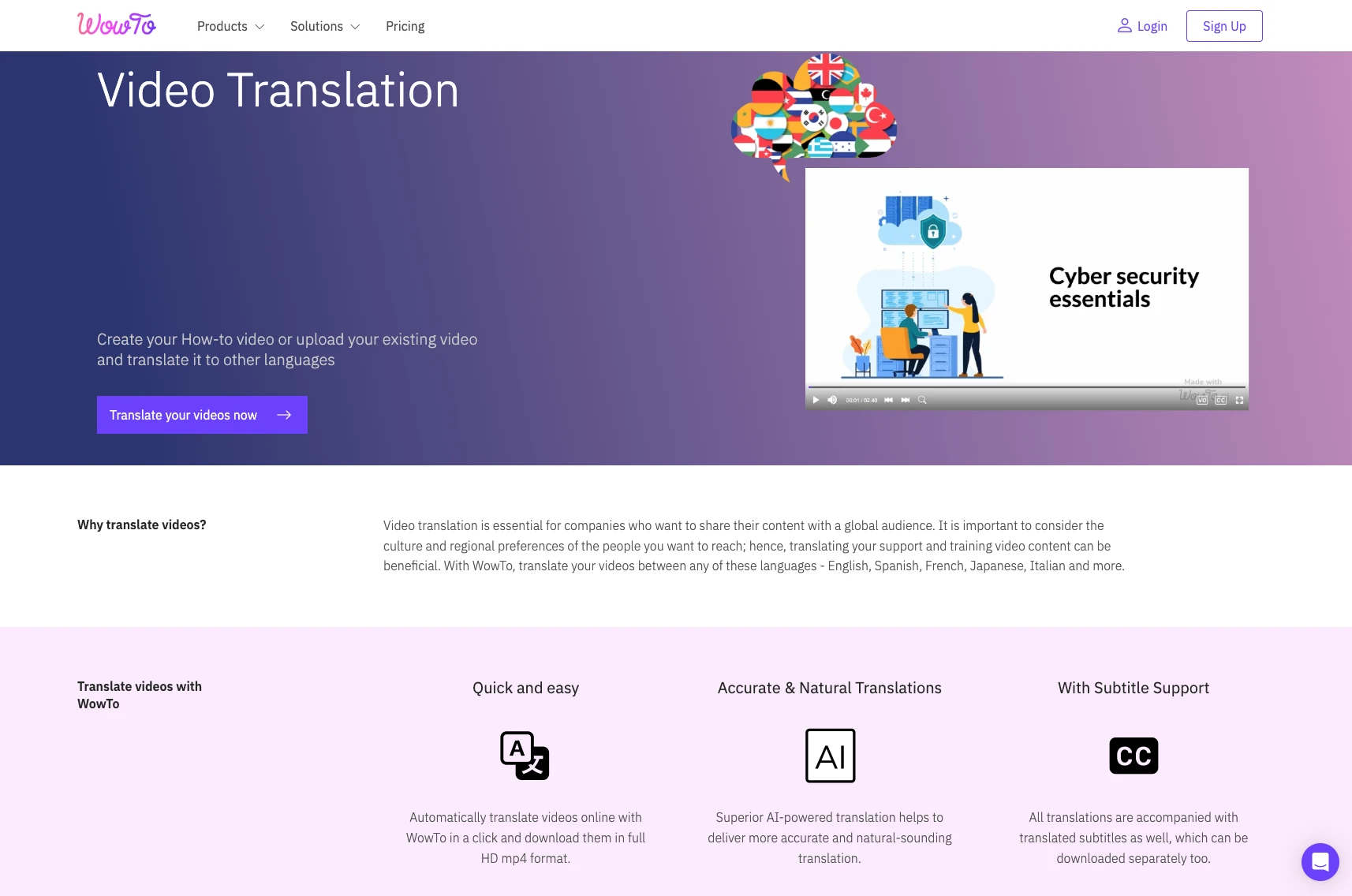
WowTo is built for product and customer education teams that need to create, localize, and maintain video content as their product evolves and their market list grows. Teams can generate localized voiceovers in over 20 languages, manage their video knowledge base across markets, and embed locale-aware content directly in-product without managing a stack of separate tools. For teams already using video-based training and development resources, adding localization to that workflow is a natural extension rather than a separate project.
Explainer video localization checklist
Before publishing localized explainer videos, run through this checklist:
- Master script is written, reviewed, and version-controlled
- Visual layer is free of burned-in text that requires re-editing per language
- Target markets and specific dialect variants are defined
- Translated scripts have been reviewed by a native speaker or regional contact
- AI voiceovers generated and synced to the visual track
- Subtitles and captions added and reviewed for accuracy
- Localized videos hosted in a multilingual-accessible knowledge base
- In-product surfacing configured to serve the correct language version by locale
- Video update process tied to the product release checklist
For a deeper look at the broader localization workflow — and how to avoid the most common mistakes — see how to localize product training without recreating videos. For teams extending localization across support content, multilingual support videos: how to reach global audiences with AI voices covers the same principles applied to help center content.
Conclusion
Explainer video localization is not a one-time project — it is an ongoing capability that determines whether your global customers receive the same quality of product education as your English-speaking ones. The teams that get this right do not treat every language as a separate production run. They build localization into the original video workflow: scripted source content, language-neutral visual layers, AI-generated voiceovers, and a master library that updates in parallel across all markets when the product changes.
The payoff is measurable. Customers who receive product guidance in their native language activate faster, raise fewer support tickets, and stay longer. For companies expanding into new markets, multilingual explainer videos are one of the highest-leverage investments a customer education or product team can make.
If you are ready to build a localization workflow that scales with your product and your market list, sign up for WowTo for free and create your first localized explainer video today — no re-recording required.
