Video Training for Remote and Distributed teams: The Complete Guide
Remote work is no longer a temporary adjustment — it is how modern teams operate. As of 2024, over 28% of employees worldwide work in a hybrid or fully remote setup, and that number continues to rise. But with distributed teams spread across time zones, cities, and even continents, one challenge keeps surfacing: how do you train people consistently when you cannot gather them in one room?
This is where video training becomes a game-changer. Training videos allow remote teams to learn at their own pace, revisit material on demand, and get a consistent experience regardless of where they are in the world.
In this guide, we cover everything you need to know about video training for remote and distributed teams — from the types of training videos that work best, to the best practices for creating them, and how to make the entire process fast and scalable.
Why remote teams need a dedicated video training strategy
Traditional training methods — classroom sessions, printed manuals, in-person workshops — simply do not translate well to a remote environment. Scheduling live sessions across multiple time zones is difficult. Written documentation gets skimmed or ignored. And one-off video calls are hard to revisit when someone needs a refresher.
Video training solves all of these problems at once. A well-made training video can:
- Deliver the same message to every team member, with no variation in quality
- Be accessed on-demand, 24/7, without requiring a facilitator
- Reduce the time managers spend answering the same onboarding questions repeatedly
- Serve as a permanent knowledge asset that scales with your team
Research by LinkedIn Learning shows that 58% of employees prefer to learn at their own pace. For remote teams, asynchronous video training is not just convenient — it is the format that fits how people actually work. If you are building a remote-first training program, launching a scalable video training program is the right place to start.
Types of training videos that work for remote teams
Not all training videos serve the same purpose. Here are the most effective formats for distributed teams:
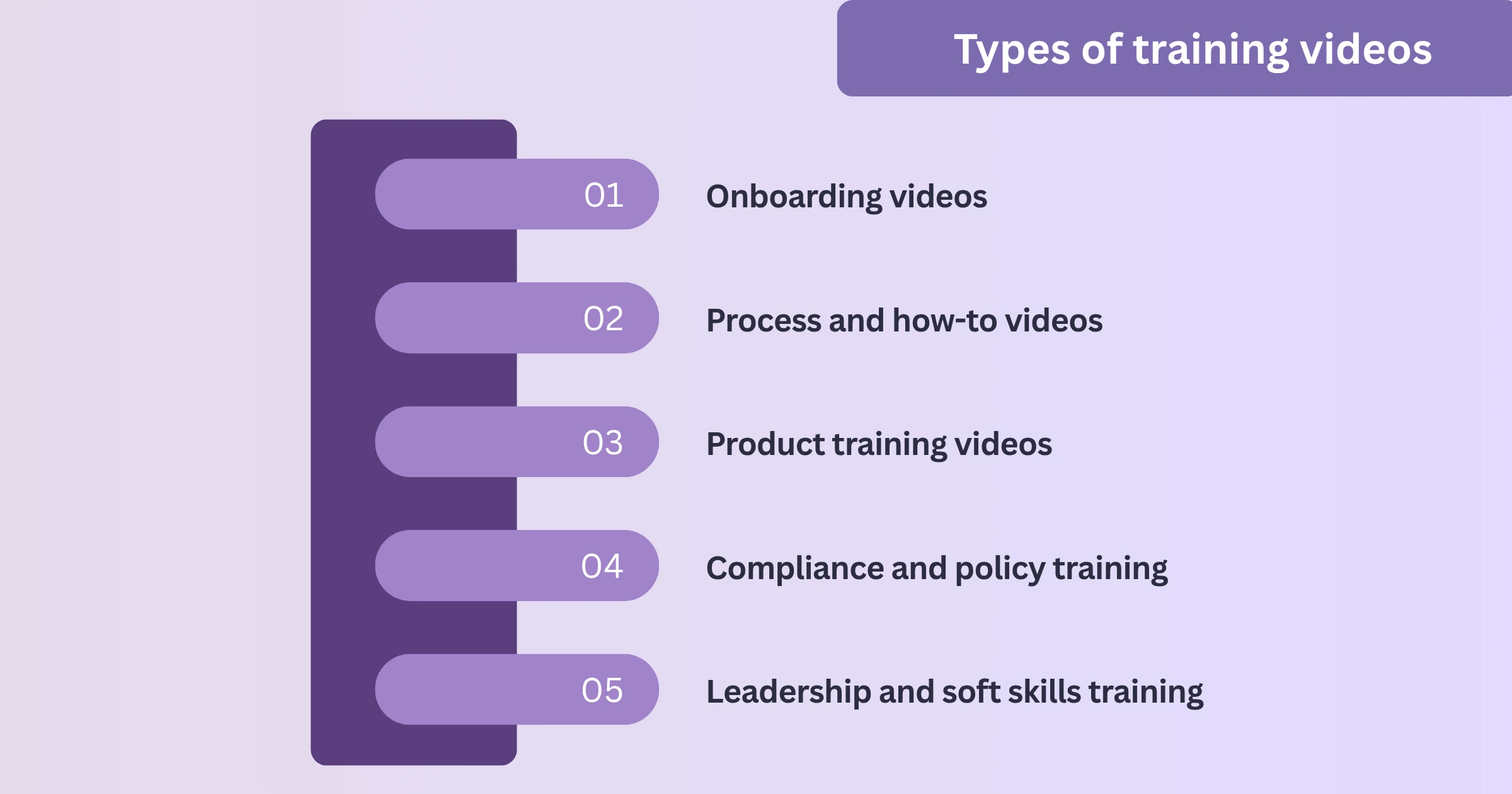
1. Onboarding videos
New hires in remote teams often feel lost without the informal guidance that comes naturally in an office. Onboarding training videos can walk them through company culture, tools, processes, and expectations — all before their first day even begins. This directly reduces time-to-productivity. Reducing employee onboarding time with automated video training breaks down exactly how to structure these for maximum impact.
2. Process and how-to videos
These are short, task-specific videos that show team members how to complete a particular workflow — submitting an expense report, using a new tool, following a security protocol. They are the backbone of any distributed team's knowledge base. The case for giving every company process a 2-minute video makes this concrete.
3. Product training videos
For remote sales, customer success, or support teams, product training videos ensure everyone has the same depth of knowledge about what they are selling or supporting. These videos can be updated as the product evolves, without scheduling another all-hands meeting.
4. Compliance and policy training
Compliance training is one of the most critical — and most frequently neglected — areas for remote teams. Training videos ensure that every employee goes through the same content, and completion can be tracked. This is especially important for regulated industries.
5. Leadership and soft skills training
Remote work demands a specific kind of communication skill. Training videos on topics like running async updates, giving feedback in writing, or leading distributed meetings help teams develop the soft skills that make remote collaboration effective. Understanding the difference between instructional videos and training videos helps clarify which format fits each use case.
Best practices for creating training videos for remote teams
Producing training videos that actually get watched — and retained — requires more than hitting record. Here are the best practices that make remote-friendly training videos effective:
Keep videos short and focused
Attention spans are shorter online, and remote employees have more competing priorities than ever. Aim for videos between 3 and 8 minutes. If a topic is complex, break it into a series of shorter videos rather than one long recording.
Write a script before you record
Improvised videos often meander, include filler phrases, and take twice as long as they need to. A clear script ensures the content is tight, accurate, and easy to follow. Even a rough outline makes a significant difference.
Use screen recordings for software training
For any process that involves tools or software — which is almost everything in a remote team — screen recording is the most effective approach. Watching someone navigate a tool in real time is far more useful than reading a step-by-step guide. These screen recording tips for better video tutorials cover the production fundamentals in detail.
Add captions and subtitles
Distributed teams are often multilingual. Captions make training videos accessible to non-native speakers, and they also allow employees to watch videos in environments where audio is not possible — like an open office or public transport. For teams with global reach, creating multilingual support videos with AI voices is worth reading alongside this.
Host videos in a central, searchable location
A training video that cannot be found is a training video that does not exist. Centralise all your training videos in a knowledge base or internal hub that is easy to search and always up to date. Building a knowledge base for SaaS covers how to set that foundation up properly.
Update videos regularly
Processes change. Tools get updated. Policies evolve. Training videos that become outdated erode trust in your content library. Build a review cadence to keep videos current, and use tools that make re-recording or editing fast.
Common mistakes to avoid in remote video training
Even well-intentioned training programs fall short when certain mistakes go unchecked:
- Making videos too long. A 40-minute video on tool usage is rarely watched in full. Break content into modules.
- Skipping a production checklist. Poor audio, cluttered screens, and shaky recordings reduce credibility and comprehension. The most common screen recording mistakes are worth reviewing before you begin.
- Treating video as a one-time project. The best remote teams treat their training video library as a living resource — not a one-time content sprint.
- Ignoring completion data. If you cannot tell who has watched what, you cannot identify gaps in training coverage. Choose a platform that provides video analytics.
For a fuller breakdown, employee video training pitfalls and how to avoid them, go deeper on each of these.
How to build a video training library for your remote team
A successful video training program is not built overnight. Here is a practical framework to get started:
Step 1 — Audit your current training. List every process, onboarding step, and recurring question your team deals with. These are your video topics.
Step 2 — Prioritise by impact. Start with the content that affects the most people or causes the most confusion. Onboarding and common software processes are almost always the right starting point.
Step 3 — Create a standard format. Decide on a consistent structure for your videos — intro, content, summary, call to action. Consistency builds trust and helps viewers know what to expect.
Step 4 — Choose the right creation tool. This is where the difference between a good training program and an exceptional one is made. You need a tool that makes it easy to record, edit, add captions, and publish — without requiring video production experience.
Step 5 — Distribute and track. Publish your videos in a central hub, share them during onboarding, and monitor who is engaging with them.
How WowTo makes video training effortless for remote teams
WowTo is purpose-built for teams that need to create training videos quickly and at scale — without relying on designers or video editors.
With WowTo, you can:
- Record your screen and automatically generate step-by-step training videos
- Add AI-generated voiceovers in multiple languages — ideal for globally distributed teams
- Embed videos directly in your knowledge base or internal wiki
- Convert existing documents or PDFs into engaging video content
- Update videos easily when processes change, without starting from scratch
How video training in customer education reduces time-to-value shows exactly how this plays out in practice. This means HR teams, team leads, and operations managers can create professional training videos in minutes — not days. The result is a training library that keeps pace with how fast remote teams actually move.
Conclusion
Remote and distributed teams have unique training challenges — but they also have a unique advantage. Video training, done well, can be more consistent, more scalable, and more accessible than anything you could deliver in a physical training room. The key is to start with a clear strategy, keep videos short and focused, build a searchable library, and use the right tools to make creation fast enough to sustain.
Start creating training videos for free with WowTo →
Frequently asked questions
What is video training for remote teams?
Video training for remote teams refers to using pre-recorded videos to deliver onboarding, process documentation, product knowledge, and compliance training to employees who work outside a central office.
What types of training videos work best for distributed teams?
Onboarding videos, screen-recorded how-to tutorials, product training videos, and compliance training videos are all highly effective for remote teams because they can be accessed on demand across any time zone.
How long should training videos be for remote employees?
Ideally, training videos should be between 3 and 8 minutes long. For complex topics, a series of shorter videos works better than one long session.
What tool is best for creating employee training videos?
WowTo is designed specifically for teams that want to create professional training videos quickly, without needing video editing skills. It supports screen recording, AI voiceovers, and multilingual content.
How do I track if remote employees have watched training videos?
Use a platform with built-in analytics and completion tracking. WowTo provides visibility into video engagement so training managers can identify gaps in coverage.
